


 Category Index


FreeMUST v3.1 Architectural library, symbols and custom commands
Architectural library, ready-made symbols and custom commands.
admin - 22.05.2026 16:28
admin - 22.05.2026 16:28
FreeMUST v3.1
Architectural library, ready-made symbols, and custom commands
What is the FreeMUST program?
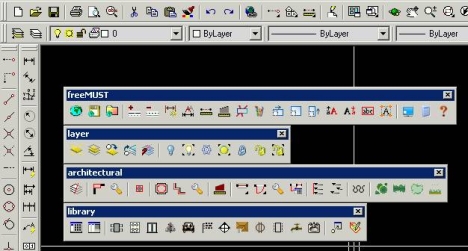
The FreeMUST program is installed on top of AutoCAD. It enhances ease of use by adding extra commands to AutoCAD’s built-in commands. Some of these extra commands include:
* Saves your custom layers, dimension styles, and text styles for later use. You can load these settings into your drawing anytime you want.
* Includes many layer control commands such as layer off, show all layers, explode block on its own layer, etc.
* Features an advanced library management command. Its library contains around 500 blocks. Accessing any of these 500 blocks takes only seconds.
* Includes many extra commands such as scale in X direction, scale in Y direction, quick color change, quick dimensioning, etc.
* Includes automatic door, window, column, plaster, area, and similar commands.
* Enables fast drawing with automatic tree, grass, plant, and similar commands.
* Supports 5 languages including English, French, German, Spanish, and Turkish.
To provide comprehensive answers to your questions about FreeMUST, the support pages have been moved to the forum.
Links are hidden. Register or Login
Thanks to freemust for publishing this content.
tag: freemust, FreeMUST 3.1, free must, architectural library, ready-made symbols, freemust menu
WARNING:
1. When installing FreeMUST on a Windows 7 64-bit operating system, do not install it in the folder c:/program files (x86)/freemust. Instead, use the folder c:/program files/freemust.
2. To fix the scale error in the door and window commands, set the insertion scale option in the UNIT command to "unitless".
Note: Please do not install the FreeMUST program in the "Program Files (X86)" folder.
Note: Please install the FreeMUST program in the "Program Files" folder instead of the "Program Files (X86)" folder.
Author: cizimokulu.com
Description: Architectural library, symbols and custom commands
Tag:
Comments :
No comment yet